 SourcePack
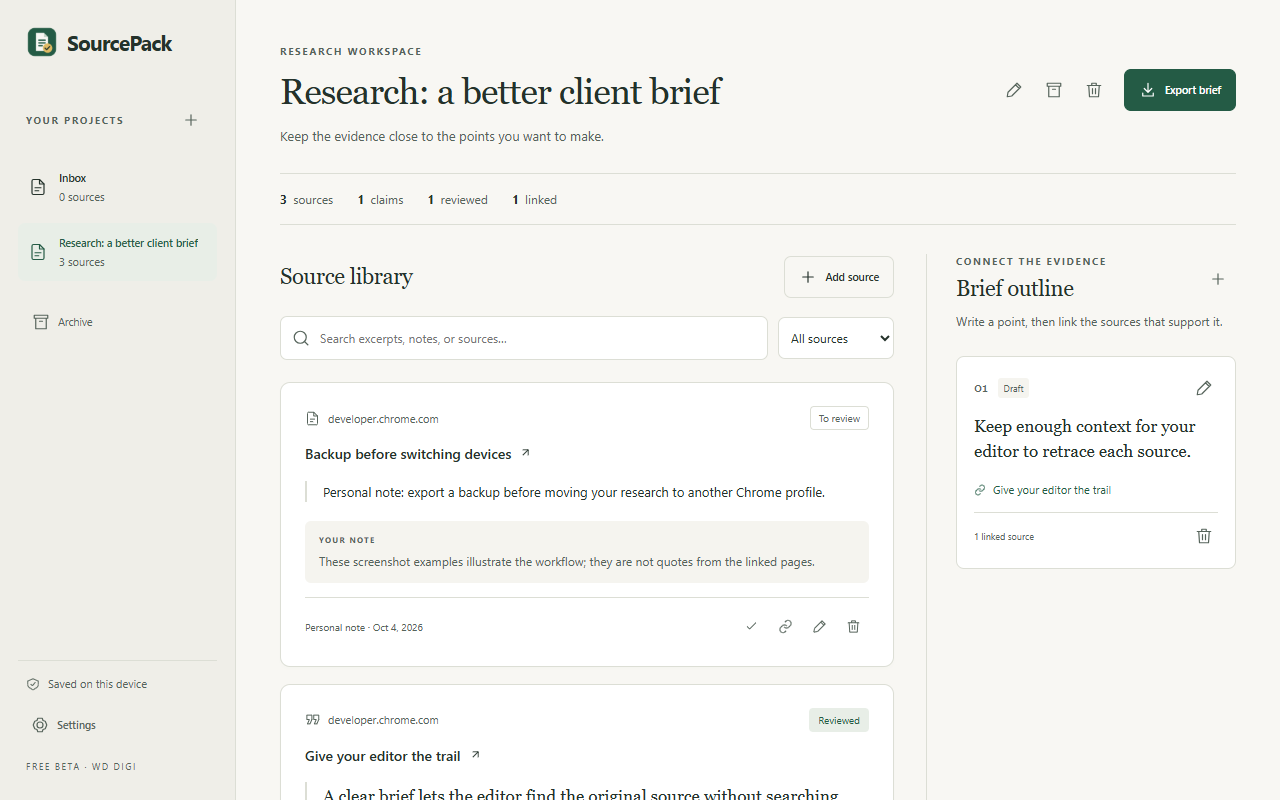
Capture the passage and its source
Select useful text on a webpage and save it from the context menu. Keep the excerpt with its title and URL so that your brief has a route back to the original.
Connect evidence to an outline
Keep projects, personal notes and claims together. Link an excerpt to a claim and record your own review; a saved passage is evidence to assess, not automatic verification.
Move the research into a document
Export Markdown or a source matrix CSV, print a PDF, and keep a backup of the project. Pro adds reusable brief templates, export branding and ZIP research packs.
Included in Free
Capture excerpts and URLs; projects, notes, claims and evidence links; search; Markdown, CSV, print PDF and backup.
Optional Pro
Reusable brief templates and checklists, export branding, and ZIP packs with brief, source matrix and source index.
A brief for an editor
Collect passages for one article in a project. Separate the author’s claims from your notes, link supporting passages, and export the brief with a source matrix for review.
Before you begin
Review source accuracy, publication dates and permission to quote. Chrome can restrict access on internal or protected pages. Keep independent backups of research you need to retain.